PaintScout CRM

The Only CRM Built for Painting Contractors.

A streamlined system for managing leads, staying organized, and moving every opportunity forward. Built to work hand-in-hand with PaintScout Sales, so nothing slips through the cracks.

Book a Demo
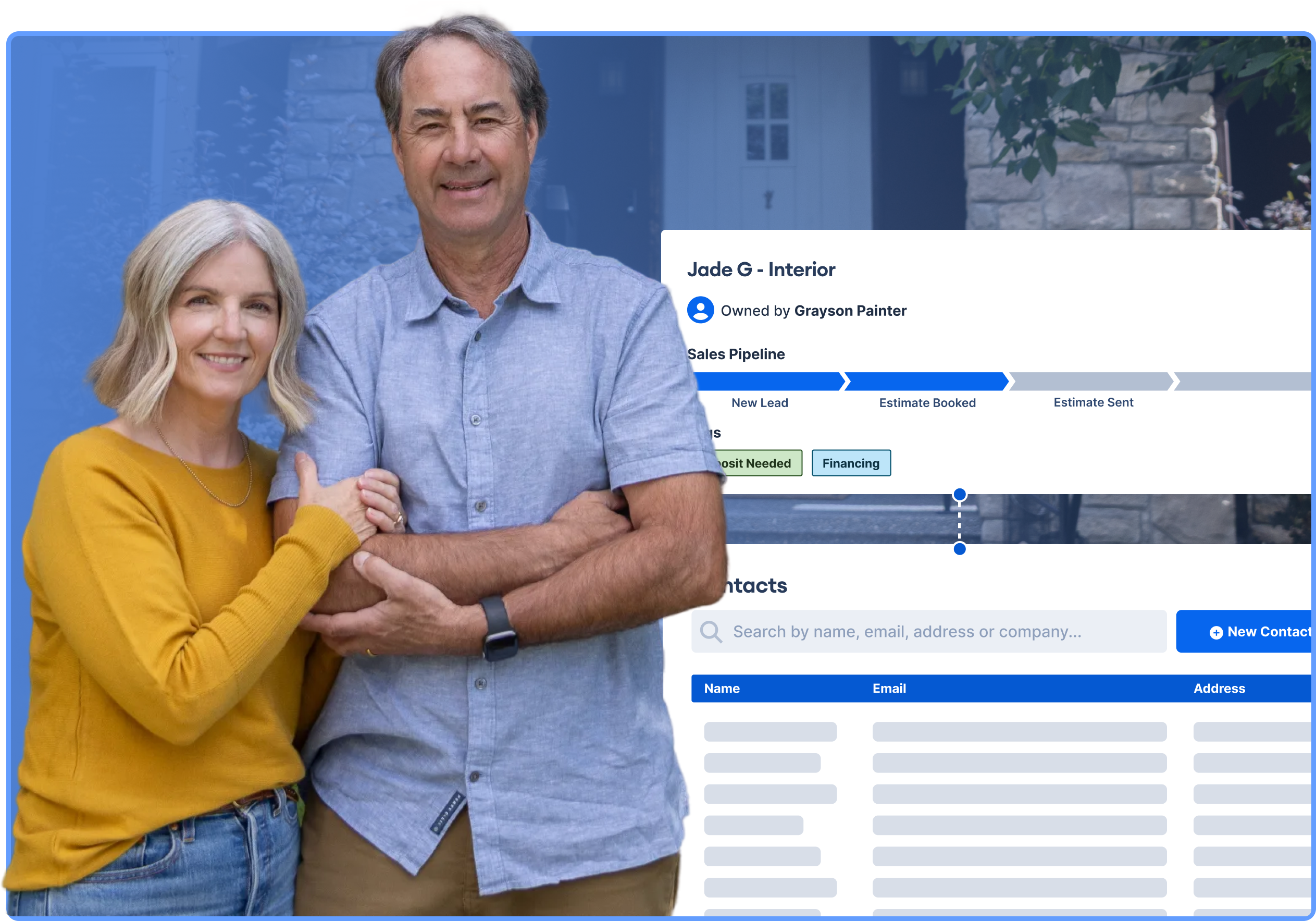
PaintScout CRM dashboard showing an interior painting job's sales pipeline progress, tags, and team calendar with scheduled estimate appointmentsPainting business owner smiling while managing leads and estimates on laptop using PaintScout's CRM software


Contacts

Keep track of your customers.

Stay organized, informed, and ready to take action with a fully connected customer hub. Every contact and company is linked, updated, and packed with the details you need to deliver a seamless experience.

Book a Demo
Residential homeowners in front of their house alongside a commercial property manager, representing the types of contacts managed in PaintScout's CRMThe contacts screen of PaintScout painting estimation softwareHomeownersProperty Managers

Instant context.

From first lead to latest invoice, every detail is right at your fingertips.

Learn More

Never miss a beat.

Save communication methods, store documents and notes, and assign owners.

Learn More

Impress effortlessly.

Keep a quick-reference “cheat sheet” to deliver personalized, memorable service.

Learn More
Professional paint estimator shaking hands with homeowner during an on-site estimate consultation in a residential living roomInterior painting job in PaintScout's sales pipeline showing stages from New Lead through Estimate Signed, with tags for deposit and financing status


Deals

Manage every deal with confidence.

From first touch to final approval, track deal progress with ease. Add files, assign tasks, and visualize where every opportunity stands.

Book a Demo


Pipelines

Never miss an opportunity.

Easily track, manage, and close deals faster with a visual pipeline that keeps your sales process clear and organized.


Customization

Stay in control.

Drag and drop deals between stages for quick updates. Your stage's names, order, and visibility are all fully customizable.


Automations

Work smarter.

Automate your stage changes to save time. Visual day counters and filters by deal value or time in stage help you track your progress.


Reporting

Uncover insights.

Instantly see how many deals and the total value in each stage. Easily identify deals that have stalled and take action.

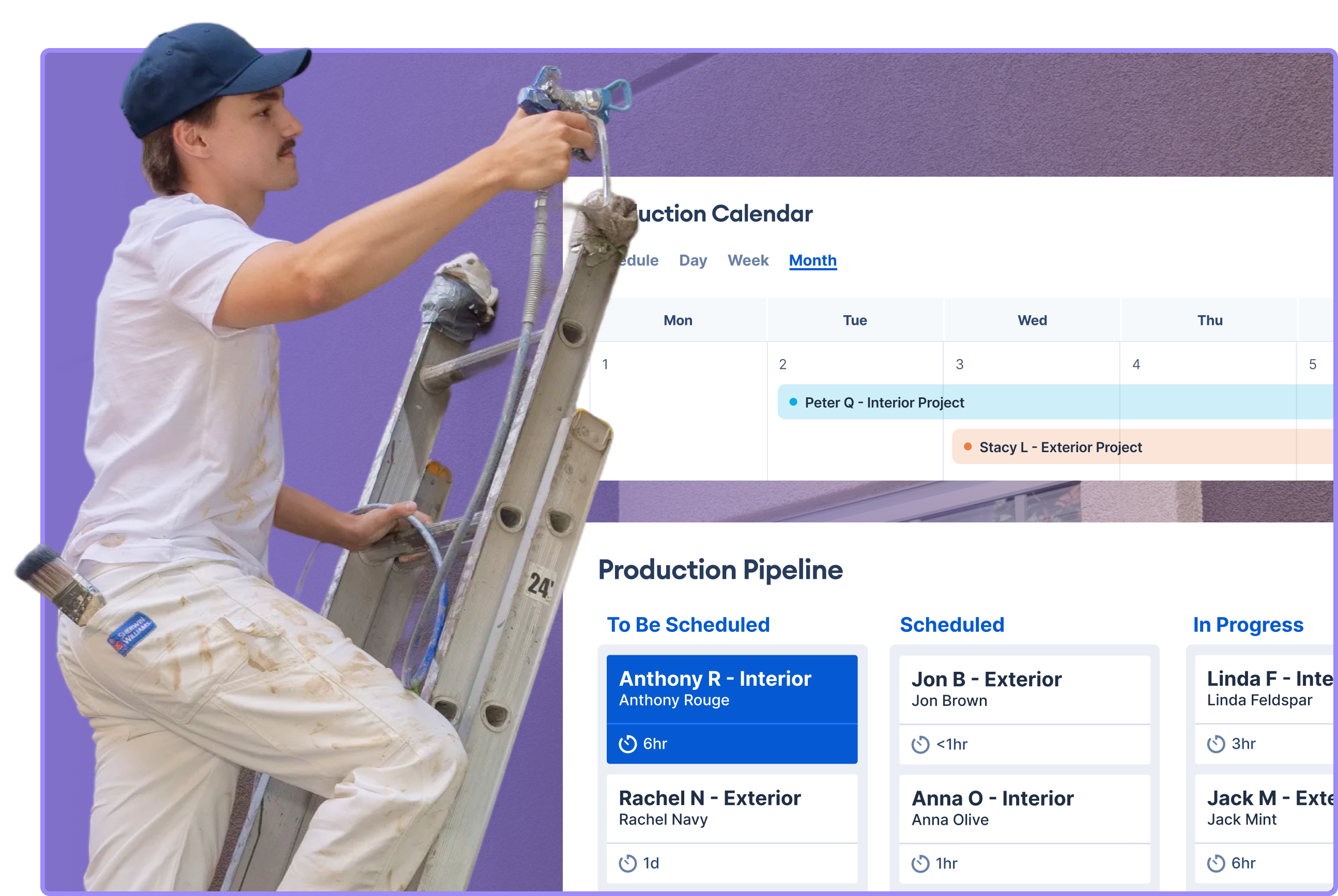
PaintScout CRM calendar showing scheduled on-site estimate appointments for painting sales team members


Calendar

Know the when and where.

Organize your estimates, site visits, and follow-ups in one connected calendar so nothing slips through the cracks.

Book a Demo
PaintScout CRM calendar view displaying scheduled painting estimate appointments for sales team members across multiple days


Scheduling

Stress-free collaboration.

Simplify scheduling for your whole team with an easy-to-use calendar. Book any type of appointment, add all the details in one place, and coordinate faster with side-by-side schedules and a full map view for efficient planning.

Book a Demo
PaintScout CRM scheduling interface showing team availability for on-site estimates, with time slots for two estimators and a Schedule Appointment button


Google Maps

See every job before you arrive.

With Google Street View on every deal, contact, and event you can plan smarter routes, preview the property, and visually identify key areas in advance.

Book a Demo
PaintScout CRM map view showing scheduled painting estimate locations with property photo preview
PaintScout CRM calendar view displaying scheduled painting estimate appointments for sales team members across multiple days
PaintScout CRM scheduling interface showing team availability for on-site estimates, with time slots for two estimators and a Schedule Appointment button
PaintScout CRM map view showing scheduled painting estimate locations with property photo preview


Automated Reminders

Keep everyone in sync.

Keep your calendar gap-free with one-click rescheduling.

  • One-click rescheduling keeps your calendar full
  • Customizable messages for a personal touch
  • Turn off or adjust timing on the fly
An SMS reminder from PaintScout CRM which reads "Reminder: Your estimate appointment is Tuesday at 3:00pm"An SMS reminder from PaintScout CRM which reads "Reminder: Your estimate appointment is Tuesday at 3:00pm"Homeowner and painting contractor smiling at their phones after receiving automated SMS appointment reminders from PaintScout

Simplify your workflow.

PaintScout keeps your team aligned with tools that reduce clutter, track progress, and make sure nothing slips through the cracks.


Tasks

Never lose sight of a task.

Your to-do list, built right in. Have the full picture for all your jobs right at your fingertips.

  • Get reminders for follow-ups and calls
  • Link tasks to deals for instant context
  • Spot what’s due, overdue, or coming up
  • Add notes, dates, and times for clarity
PaintScout CRM task list showing upcoming follow-ups for a painting sales team, including estimate revisions and client calls


Tags

Filter the clutter with ease.

Quickly organize and target your outreach with simple, color-coded tags.

  • Attach tags to any contact, company, or deal
  • Filter instantly for focused follow-ups or reports
  • Segment into any custom groups you need
  • View tags from your pipeline view
PaintScout CRM tag filter dropdown for organizing painting leads by status, including Quote Booked, New Lead, and Project Complete


Integrations

Integrates with the tools you already use.

Work smarter with everything in one place, and get the most out of your PaintScout experience.

See Integrations
Pipedrive logo
Companycam logo
Monday.com logo
Wisetack logo
Zapier icon
Hubspot logo
Quickbooks icon


FAQs

Have questions?

Here are some of the questions we get asked the most often. Don't see what you're looking for here—reach out to support.

Contact Support

What does the CRM include?

The CRM gives you tools to manage your contacts, deals, tasks, scheduling, and pipeline in one place. You get a full timeline of interactions, team task assignment, calendar availability, automated follow-ups, and more.

How is the CRM different from the main PaintScout platform?

PaintScout’s “Sales” platform focuses on estimating and proposals. The CRM adds contact management, pipeline tracking, task assignments, scheduling tools, and automations to take your sales process further.

Can I track leads, contacts, and companies with PaintScout's CRM?

Yes. You can create and manage contacts and companies, link them to estimates and jobs, assign tags, and view full interaction histories.

Does the CRM integrate with my calendar or email?

Yes! The CRM offers two-way sync with Google and Outlook calendars. Check out all integrations.

Ready to get started?

We’d love to give you a live, detailed rundown of PaintScout 1:1 with one of our Client Success Coaches.

Book a Demo
Start a Trial